Quick Overview
I’ve been using both NotebookLM and ChatGPT almost daily for the past six months, and honestly, they feel like completely different tools that just happen to share the word “AI.” NotebookLM is Google’s answer to deep research and note-taking—it’s built around the idea of “grounding” everything in your own documents. You upload PDFs, web links, YouTube videos, or even Google Docs, and the AI can only answer from that material. ChatGPT, on the other hand, is a general-purpose assistant that pulls from its training data or can browse the web. I use NotebookLM when I need to digest a 200-page report without hallucination risks, and I use ChatGPT when I’m brainstorming ideas or need quick answers about the world. They overlap in some places, but their core purpose is different.
Feature Comparison
| Feature | NotebookLM | ChatGPT (GPT-4 / GPT-4o) |
|---|---|---|
| Data source | Only your uploaded documents (PDFs, Google Docs, web links, YouTube transcripts) | Trained on internet data up to 2023 (GPT-4) or can browse live web (GPT-4 with browsing) |
| Hallucination risk | Very low—it only uses your sources. If it doesn’t know, it says so. | Moderate—can invent facts if it doesn’t know something, especially for niche topics |
| Context window | Up to 200k tokens per notebook (I’ve uploaded 500-page books) | 128k tokens for GPT-4 Turbo, 32k for standard GPT-4 |
| Citation system | Automatic inline citations with source numbers. You can click to jump to the exact part of the document. | No built-in citations unless you ask it to “show sources” (and it may fabricate them) |
| Customization | You create “notebooks” per project. Each notebook has its own source set. No system prompt control. | Custom instructions, GPTs (custom bots), and memory. You can tweak tone, role, and behavior. |
| Multimodal input | Can process text from PDFs, web pages, YouTube transcripts. No image analysis. | Can analyze images, generate images (via DALL·E), and process audio (voice mode). |
| Voice conversation | Only text-based (though it can generate audio summaries called “Audio Overviews”) | Full voice conversation (speak to it, it speaks back) with natural pauses and tone |
| Offline / privacy | All data stays in your Google account. No training on your documents (per Google’s policy). | Data can be used to train models unless you opt out (in enterprise/API you can control this) |
| Export options | Export as Google Doc, PDF, or share a read-only link. | Export chat as text, share links, or use API. |
| Web search | No—it only uses your uploaded sources. You can’t ask it to “Google something.” | Yes, if you enable browsing. It can search the web in real time. |
| Best for | Deep research, studying, legal documents, technical manuals, note consolidation | Creative writing, coding, quick Q&A, image generation, roleplaying, customer support |
Using NotebookLM
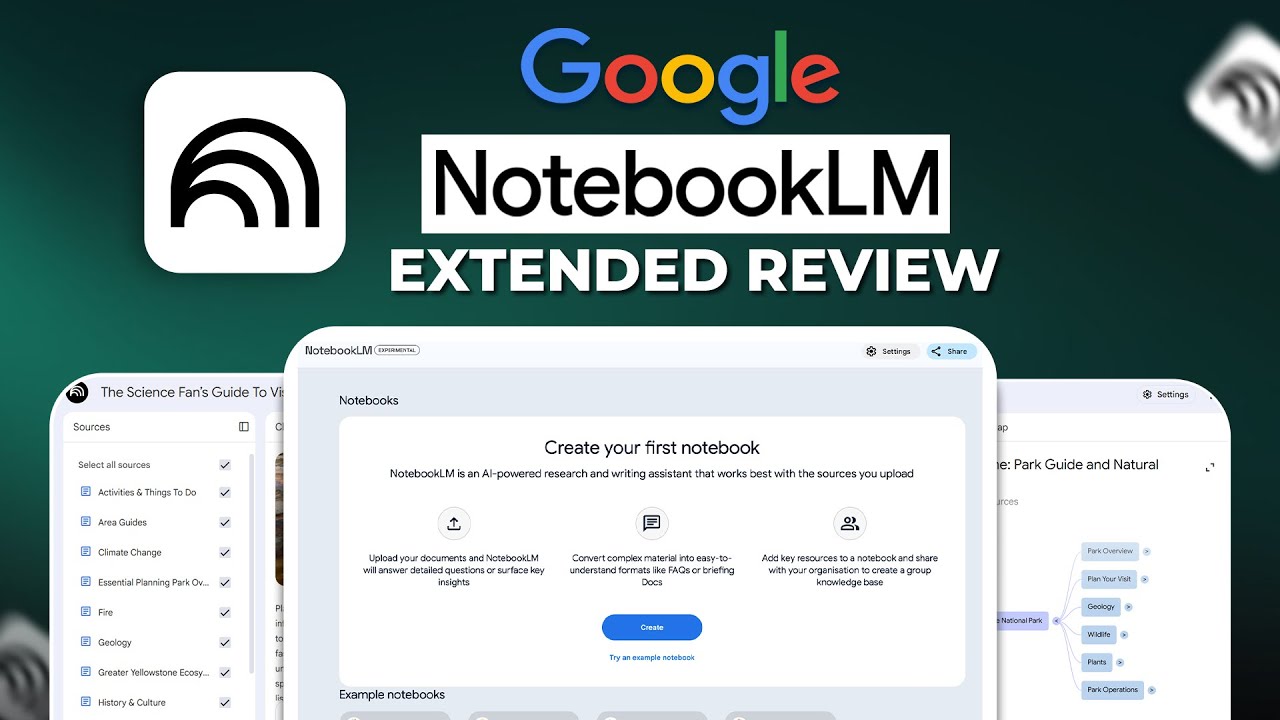
I first fell in love with NotebookLM during a messy research project. I had 40+ PDFs of academic papers, a dozen YouTube interviews, and several web articles about climate policy. Instead of trying to organize them manually, I dumped everything into a single NotebookLM notebook. The AI immediately summarized each source, highlighted key themes, and—here’s the killer feature—when I asked a question like “What are the three main arguments against carbon capture in the 2022 IPCC report?” it responded with bullet points and each point had a little number next to it. I clicked one, and it jumped me straight to the exact paragraph in the PDF. That saved me hours of skimming. I’ve used it for everything from analyzing software documentation to preparing for job interviews where I needed to memorize a company’s annual report.
The downside? It’s painfully limited in scope. If I ask “What’s the current weather in Tokyo?” it just shrugs. It can’t browse the web, it can’t generate images, and it can’t write a poem about my cat unless I upload a document about my cat first. The interface is also very bare-bones—just a chat window and a source panel. There’s no memory across notebooks, so if I switch from “Project Alpha” to “Project Beta,” it forgets everything about the first project. And the audio overviews (AI-generated podcast-style summaries) are neat but often sound robotic and miss nuance. I’ve found them useful for long commutes, but not for serious review.
Another thing: NotebookLM is absolutely ruthless about sticking to sources. If I upload a document that contains a contradiction, it will point it out. But if my source is wrong, the AI is wrong too. I learned this the hard way when I uploaded an outdated technical manual and it confidently gave me incorrect wiring instructions. So you still need to vet your sources. It’s a tool for synthesis, not fact-checking.
Using ChatGPT
ChatGPT is my Swiss Army knife. I use it for drafting emails, debugging Python scripts, brainstorming blog post titles, and even roleplaying difficult conversations. The voice mode is a game-changer—I’ll be cooking dinner and ask it to “remind me of the steps for making béchamel sauce” and it talks back like a line cook. The custom instructions let me set my personality: I’ve told it to “be direct, avoid fluff, and use plain English,” and it mostly obeys. The GPT store is hit-or-miss, but I use a “Research Assistant” GPT that can search the web and pull citations from real sources (though it still sometimes hallucinates URLs).
The biggest problem with ChatGPT is trust. I once asked it to summarize a 2024 article about EV battery recycling, and it gave me a detailed summary with statistics that sounded plausible. When I clicked the source link, the article didn’t exist. It had invented the entire thing. That’s the core trade-off: ChatGPT is creative and flexible, but it will confidently lie to you. I’ve learned to never use it for anything where accuracy matters unless I can verify every claim. For creative work, that’s fine—I don’t care if its haiku about a raccoon is factually accurate. But for work, I treat it as a starting point, not an answer.
Another frustration: context management. Even with 128k tokens, ChatGPT starts forgetting earlier parts of long conversations. I’ve had it contradict itself after 30 minutes of chatting. And the memory feature (where it remembers things about you across sessions) sometimes backfires—it once assumed I was a vegan because I mentioned a tofu recipe, and kept suggesting plant-based meals for weeks until I corrected it. It’s also terrible at handling multiple documents simultaneously. I can upload five PDFs, but if I ask a question that requires cross-referencing them, it often confuses which source says what.
Pricing
NotebookLM is free as of now (no tier, no limits on number of notebooks or sources, though there’s a 200k token cap per notebook). Google hasn’t announced any paid plans, but I suspect they’ll eventually add a premium tier for larger contexts or more audio overviews. For now, it’s a steal.
ChatGPT has a free tier (GPT-3.5 and limited GPT-4o access) but the useful stuff is behind ChatGPT Plus at $20/month. That gives you GPT-4, web browsing, DALL·E, voice, and higher usage limits. There’s also Team ($25/user/month) and Enterprise (custom pricing). For heavy users, the $20 plan is worth it—I hit the free tier’s message cap in about 20 minutes.
Verdict
If you need a tool that never makes things up and works exclusively with your own documents, get NotebookLM. It’s the best research assistant I’ve ever used—period. I use it for any project where truth matters: legal contracts, academic papers, technical manuals, personal finance docs. It’s like having a research intern who’s obsessive about citations and never gets bored.
If you need a creative, general-purpose assistant that can do a bit of everything—write, code, brainstorm, analyze images, talk to you—get ChatGPT. It’s worse at staying accurate, but it’s far more versatile. I use it for daily tasks that don’t require perfect fidelity.
The ideal setup? Both. I keep NotebookLM open for serious work and ChatGPT for everything else. They complement each other perfectly—one keeps me honest, the other keeps me creative.