
NotebookLM vs Perplexity: Two AI Tools That Live in Completely Different Worlds
I've spent the last six months using both NotebookLM and Perplexity almost daily, and I keep running into the same confusion: people compare them like they're competing products. They're not. One is a research assistant that lives inside your documents. The other is a search engine that lives on the entire internet. Let me walk you through exactly how they differ, when to use which, and why I reach for one over the other depending on what I'm doing.
Quick Overview
NotebookLM is Google's AI notebook that only knows what you feed it. You upload PDFs, Google Docs, web links, or YouTube videos, and it answers questions strictly from that material. It never accesses the internet. Perplexity is an AI-powered search engine that browses the live web, cites sources, and gives you answers with footnotes. NotebookLM is for deep dives into your own materials—think legal briefs, academic papers, or your company's internal docs. Perplexity is for exploring the open web—news, research, troubleshooting, or fact-checking. They solve different problems, but I use them together constantly.
Feature Comparison
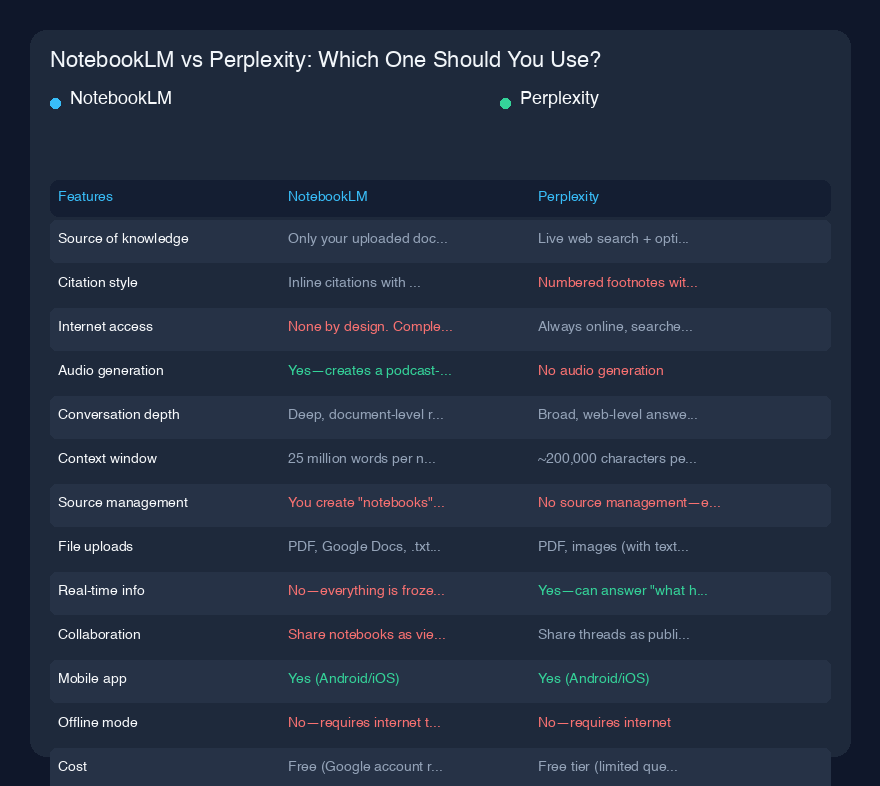
| Feature | NotebookLM | Perplexity |
|---|---|---|
| Source of knowledge | Only your uploaded documents (PDF, Google Docs, YouTube links, web URLs, text files) | Live web search + optional uploaded files (Pro plan) |
| Citation style | Inline citations with source numbers, clicking opens the exact passage in your document | Numbered footnotes with links to live web pages |
| Internet access | None by design. Completely offline from the web | Always online, searches the web in real-time |
| Audio generation | Yes—creates a podcast-like "Audio Overview" of your sources (two AI hosts discuss your content) | No audio generation |
| Conversation depth | Deep, document-level reasoning. Can ask about relationships across multiple sources | Broad, web-level answers. Good for summaries and comparisons |
| Context window | 25 million words per notebook (theoretically unlimited sources) | ~200,000 characters per query (varies by plan) |
| Source management | You create "notebooks" and manually add sources. Can organize by topic | No source management—each query is independent (unless you use collections in Pro) |
| File uploads | PDF, Google Docs, .txt, .md, YouTube links, web URLs (saved as static copies) | PDF, images (with text extraction), CSV (Pro only) |
| Real-time info | No—everything is frozen at the time you upload it | Yes—can answer "what happened today" |
| Collaboration | Share notebooks as view-only links | Share threads as public links |
| Mobile app | Yes (Android/iOS) | Yes (Android/iOS) |
| Offline mode | No—requires internet to access your sources | No—requires internet |
| Cost | Free (Google account required) | Free tier (limited queries) / Pro at $20/month |
Using NotebookLM
I first used NotebookLM when I was preparing for a deposition. I had a 200-page contract, three deposition transcripts, and about 50 pages of internal emails. Instead of re-reading everything, I uploaded all of it into one notebook. Then I asked: "What contradictions exist between the contract's indemnification clause and the email chain from March 2022?" NotebookLM didn't just give me a generic answer—it pulled the exact paragraph from the contract and the specific email thread, then showed me where they conflicted. I could click each citation and see the highlighted passage in the original document. That alone saved me four hours of cross-referencing.
The audio overview feature is weirdly good. I generated one for a 40-page research paper I was writing on urban heat islands. The AI hosts—two voices that sound like they're hosting a NPR podcast—spent about 15 minutes discussing the paper's arguments, pointing out weak spots, and even suggesting alternative interpretations. It's not perfect; sometimes it invents examples that aren't in your sources. But for getting a high-level grasp of dense material while I'm driving or cooking, it's become my go-to.
Here's what surprised me: NotebookLM is terrible at anything that requires external context. I once asked it "How does this company's 2023 annual report compare to industry benchmarks?" It couldn't answer because it had no access to industry data. I had to upload the benchmarks separately. That's the trade-off. You control exactly what it knows, which means you avoid hallucinations about your own documents, but you also can't ask it anything outside those walls.
The source management is both a strength and a pain. You create notebooks, add sources, and then ask questions within that notebook. I have one for "Tax Law Research," one for "Client XYZ," and one for "Personal Finance." But you can't easily search across notebooks. And if you upload a YouTube video, it transcribes the audio and treats the transcript as a source—which is great for extracting info from lectures, but you lose the visual elements.
Using Perplexity
Perplexity is what I use when I need to know something right now, from the live web. Yesterday I was debugging a Python script that kept throwing a ModuleNotFoundError for a library I was sure I'd installed. I typed the exact error into Perplexity. It returned a three-paragraph answer with four sources: a Stack Overflow thread from last week, the library's official docs, a Medium article, and a GitHub issue. The answer explained that the library had changed its name in the latest version. I fixed it in two minutes. Google would have given me ten blue links. Perplexity gave me the solution with attribution.
I also use it constantly for research that spans multiple domains. When I was writing a piece on lithium mining in South America, I asked: "What are the environmental impacts of lithium brine extraction in the Atacama Desert, and how do they compare to hard-rock mining in Australia?" Perplexity pulled from academic papers, news articles, and government reports, then synthesized them into a coherent answer with footnotes. I could click each footnote and verify the source. That kind of cross-domain synthesis is where Perplexity shines.
The free tier is generous but limiting. You get about 50 queries every four hours, which sounds like a lot until you're deep in research. I hit the limit regularly when I'm bouncing between topics. The Pro plan ($20/month) gives you unlimited queries, priority access to GPT-4 and Claude models, and the ability to upload files. I upgraded because I needed to upload a 50-page PDF of technical specs and have Perplexity answer questions about it while also searching the web for related standards. That hybrid—your document plus the live web—is something NotebookLM can't do.
One thing that frustrates me: Perplexity's answers can be shallow for nuanced topics. If I ask "What's the best approach to scaling a microservices architecture?" I get a reasonable summary, but it misses the trade-offs that a human expert would highlight. It's great for breadth, not depth. And sometimes the citations are wrong—I've clicked on a footnote only to find the source doesn't actually support the claim Perplexity made. Always verify.
Pricing
NotebookLM: Completely free. You need a Google account. No paid tier exists yet, though Google may introduce one. The only limit is you can create up to 100 notebooks and each notebook can have up to 50 sources (though sources can be very large—PDFs up to 200MB each). I've never hit the limits.
Perplexity: Free tier gives you basic search with limited queries (about 50 every 4 hours) and access to a standard AI model. Pro tier is $20/month (or $200/year) and includes unlimited queries, choice of AI models (GPT-4, Claude 3.5, Perplexity's own), file uploads, and priority support. There's also a Teams plan at $39/user/month with shared workspaces.
Verdict
If I had to pick one for my work, I'd pick both. They're not substitutes.
Use NotebookLM when:
- You have a specific set of documents you need to understand deeply
- You're preparing for a meeting, deposition, or presentation based on your own materials
- You want to generate an audio summary of complex reading material
- You're studying a single textbook or set of academic papers
- You need to find contradictions or patterns across multiple documents you already own
Use Perplexity when:
- You need current information from the live web
- You're researching a topic you don't have documents for
- You want to compare multiple sources across different domains
- You're troubleshooting a technical problem with real-time solutions
- You need a quick summary with verifiable citations
Real-world example of using both together: I was writing a report on AI regulation. I used Perplexity to gather the latest news about the EU AI Act, US executive orders, and China's approach. Then I uploaded my own notes, interview transcripts, and draft sections into NotebookLM. I asked NotebookLM to check if any of my arguments contradicted the sources I'd uploaded. I asked Perplexity to find recent court cases I might have missed. The combination gave me both depth and breadth that neither tool alone could provide.
The bottom line: NotebookLM is for working with what you already have. Perplexity is for exploring what you don't. They're the best tools in their respective categories right now, and they complement each other perfectly. If you can afford the $20/month for Perplexity Pro, it's worth it. NotebookLM is free and already invaluable. Just don't mistake one for the other—you'll end up frustrated when NotebookLM can't tell you today's news or when Perplexity can't dive into your 200-page PDF.